The application menus are: File, View, Service, Options, and Help. Each of these menus is described in more detail below.
File Menu
The File menu provides the capability to create a new configuration, open a configuration, save a configuration, and exit the application.
View Menu
The View menu provides the capability to clear the main window message area and show and hide the main window statistics and message area.
Service Menu
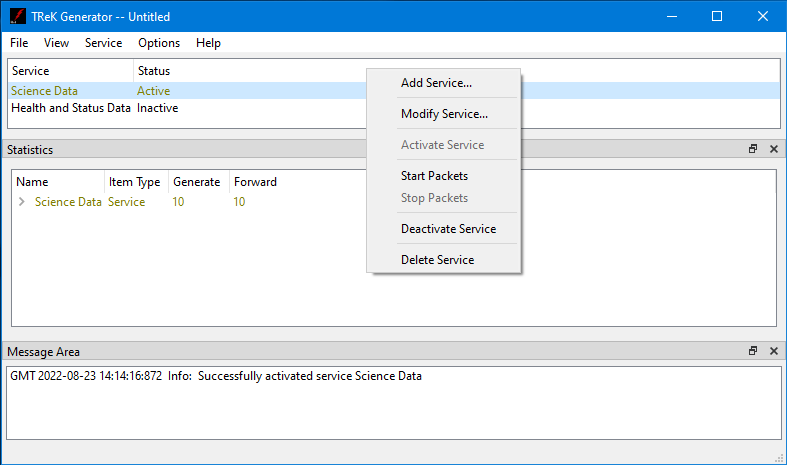
The Service menu provides the capability to perform functions associated with services such as adding a service, activating a service, or deleting a service. The service menu also shows context dependent menu items corresponding to the configuration of the service. The context menu items will only appear when the service is active. For example in Figure 2 the service selected is active so the capability to start sending packets is available from the menu.
Options Menu
The Options menu provides the capability to access statistics, reset statistics, and configure statistics snapshot recording. It also provides access to the Messages dialog which can be used to display and filter application messages.
Help Menu
The Help menu provides access to on-line help and application version information.