 |
Telescience Resource Kit
TReK Applications
5.4.0 ART
|
|
|
Telescience Resource Kit
TReK Applications
5.4.0 ART
|
The Calibrator Switch Set configuration provides the capability to work with a Calibrator Switch Set. Figure 24 shows the Main Window in the Calibrator Switch Set configuration.
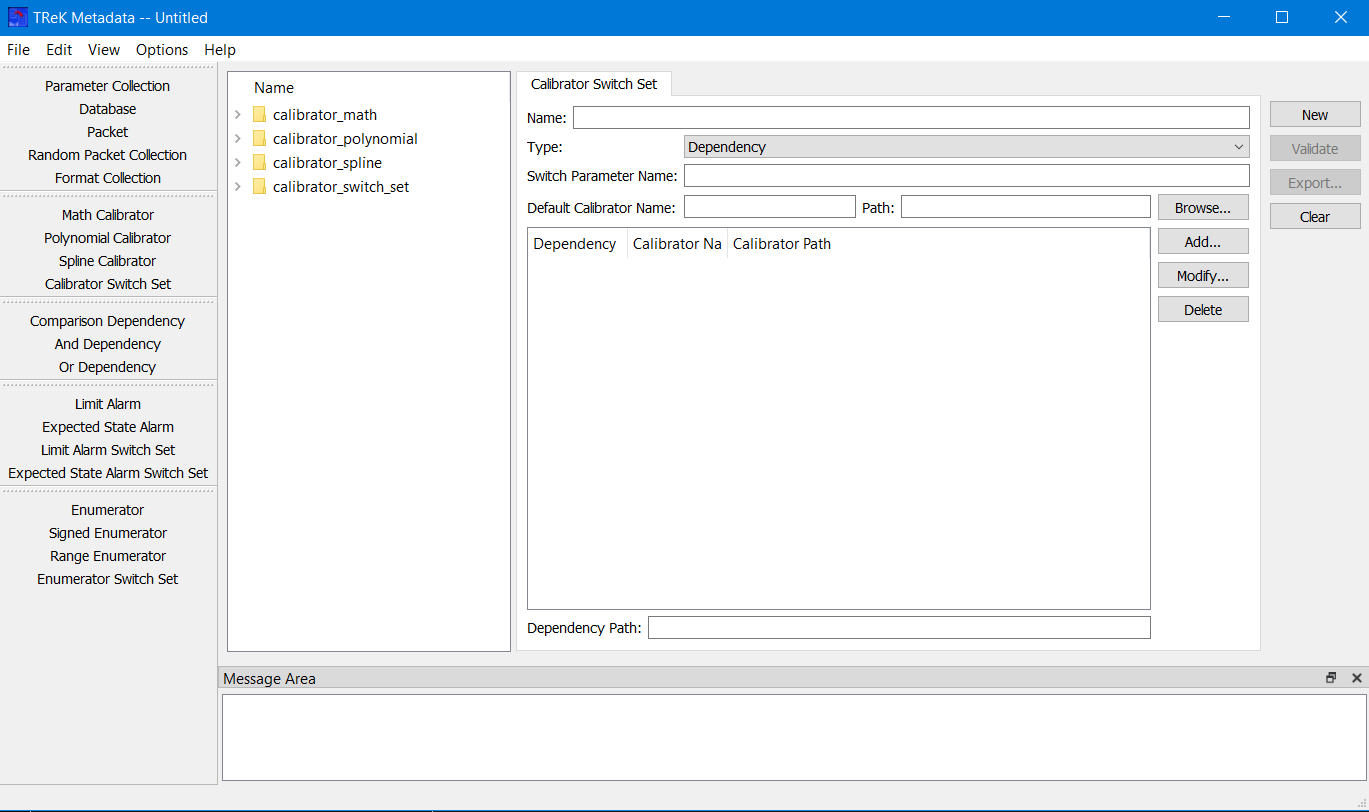
On the left-hand side of the Main Window you will see the Library Area. It is configured to provide access to existing Calibrators and Calibrator Switch Sets in the trek_workspace. When you create a Calibrator Switch Set and export it to the trek_workspace, it will be added to the Calibrator Switch Set list. The Library Area only displays items stored in the trek_workspace. If you need to work on an item that is outside of the trek_workspace, you will need to move it into the trek_workspace. In the middle of the Main Window you will see the Work Area showing the Calibrator Switch Set Tab. This is where you will define the details of the Calibrator Switch Set. On the right-hand side of the Main Window you will see a set of buttons that provide various capabilities applicable to the Calibrator Switch Set you are working on (e.g., Validate to validate the Calibrator Switch Set or Export to export the Calibrator Switch Set).
The Work Area provides the following information:
Name The name field is used to display the name of the Calibrator Switch Set.
Type The type menu is used to specify the type of Calibrator Switch Set - Dependency, Enumerator or Range.
Switch Parameter Name The parameter on which to switch.
Default Calibrator Name The default calibrator name field is used to display the name of the default calibrator. This must be the name of a calibrator that exists in the trek_workspace. This field is not editable. It will be populated when you enter a path into the Default Calibrator Path field manually or by using the Browse button select a Calibrator.
Default Calibrator Path The default calibrator path field is used to display the path of the default calibrator. The default calibrator must exist in the trek_workspace. You can enter the path manually or you can use the Browse button to browse for a Calibrator. If you delete the text in the Default Calibrator Path field, the Default Calibrator Name field will be cleared. If you enter information in the Default Calibrator Path field that is invalid, the Default Calibrator Name field will be cleared. If you enter valid information in the Default Calibrator Path field manually or by using the Browse button the Default Calibrator Name field will be automatically populated.
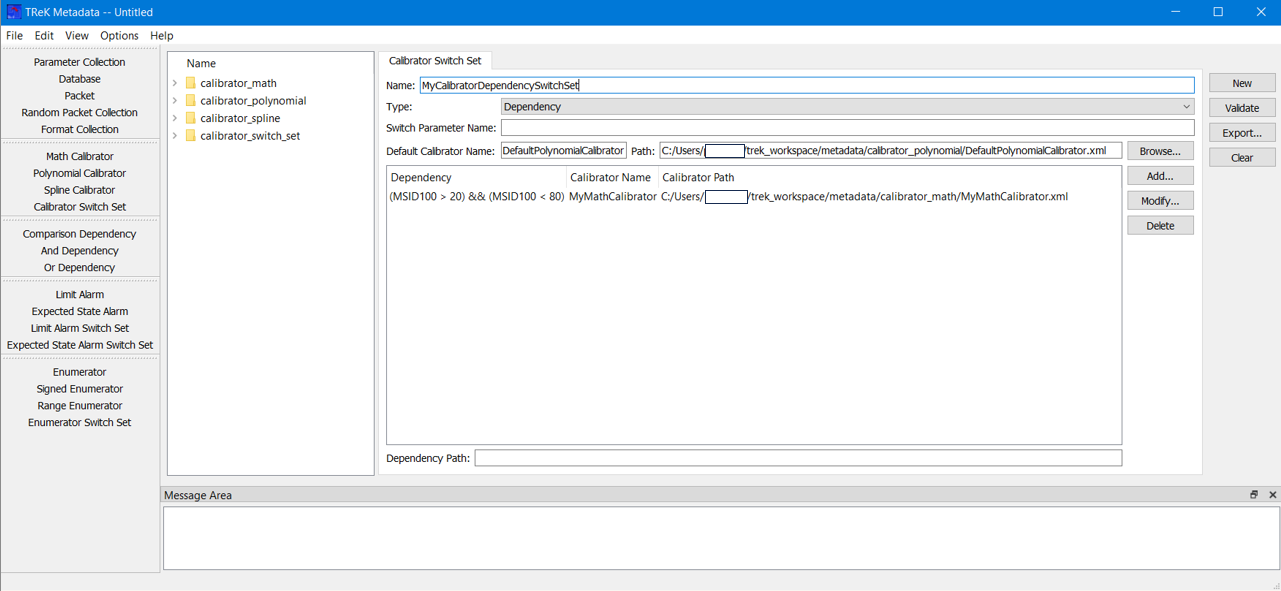
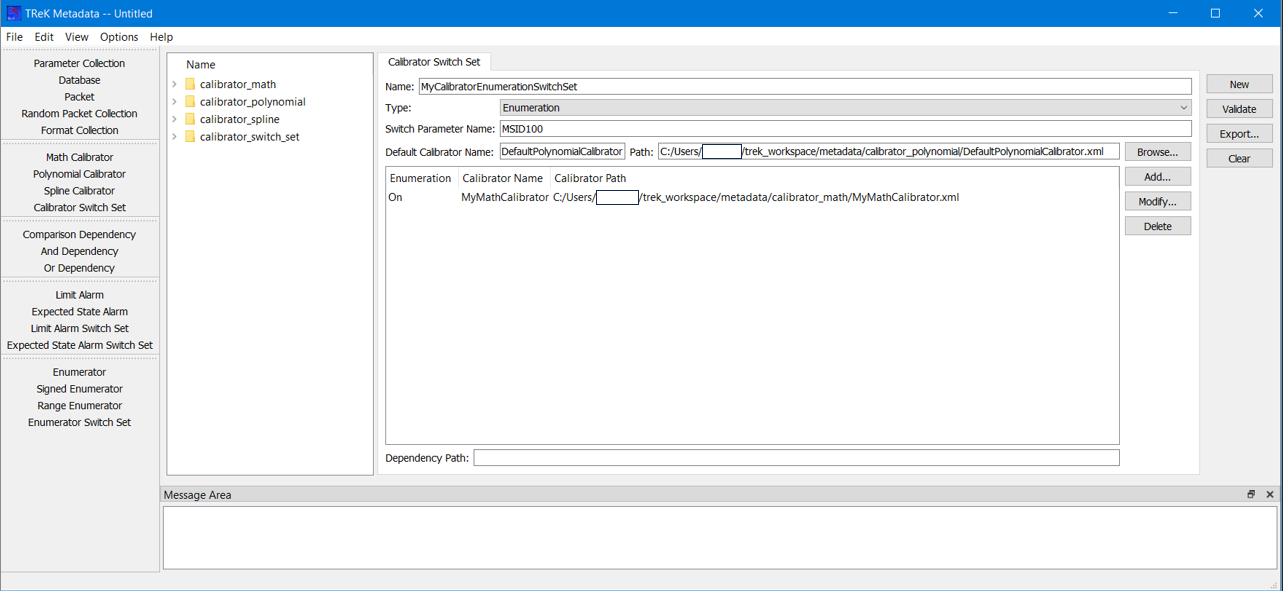
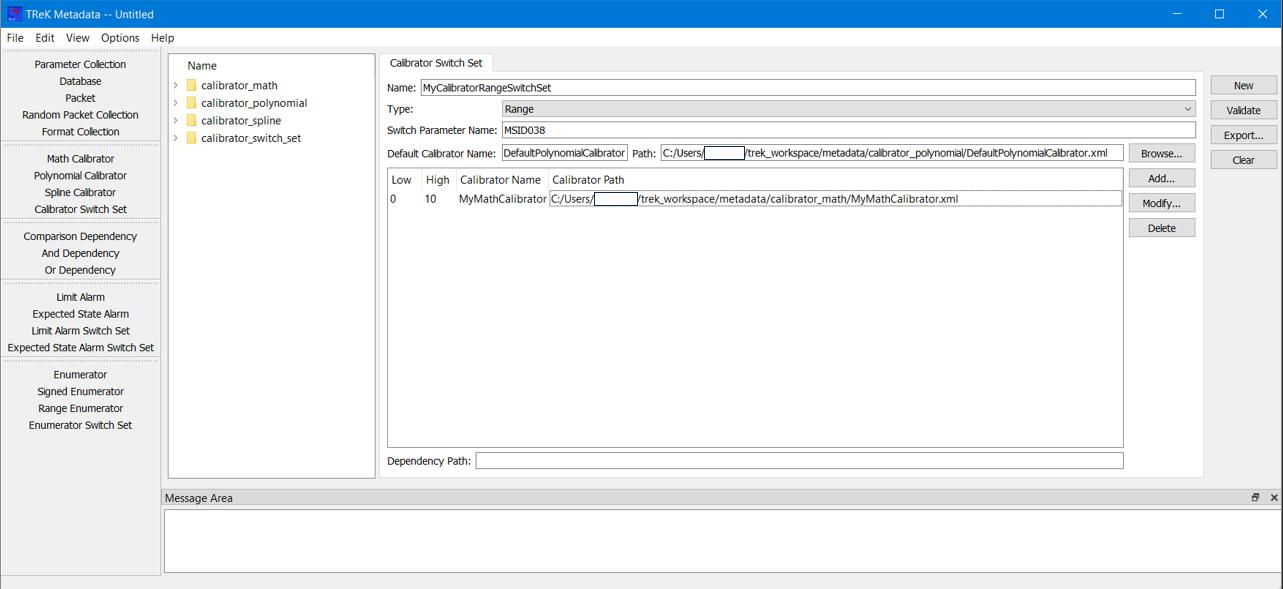
Set List The Set List is used to enter set information for the Calibrator Switch Set. The Set List area will be configured based on switch type. The Add button is used to add a row to the list. The Modify button is used to modify an existing item in the list. Modify will be available when an item in the list is selected. Enumeration and Range (Low and High) information can be edited using the Modify dialog or directly in the list. Dependency information is derived from the Dependency identified in the Modify dialog and cannot be edited in the list. The Delete button is used to delete a row from the list. When a Calibrator is assigned to a set, the Calibrator name and Calibrator path will be displayed. When a Dependency row is selected, the Dependency path will be displayed in the Dependency Path field. Figure 25 shows a Dependency type switch. Figure 26 shows an Enumeration type switch. Figure 27 shows a Range type switch.
The following functions are available when working with a Calibrator Switch Set:
New New provides the capability to clear the existing Calibrator Switch Set information.
Validate Validate provides the capability to validate the Calibrator Switch Set information.
Export Export provides the capability to save the Calibrator Switch Set to a file.
Clear Clear provides the capability to clear the Work Area.