 |
Telescience Resource Kit
TReK Applications
5.4.0 ART
|
|
|
Telescience Resource Kit
TReK Applications
5.4.0 ART
|
The main window contains several areas as shown in Figure 1. The Message Area is a dock window that you can float or dock. To float a dock window, use your left mouse button to click and hold the title area while dragging the window to another area of the screen. To dock, use the title bar to drag the dock window over the main window and drop.
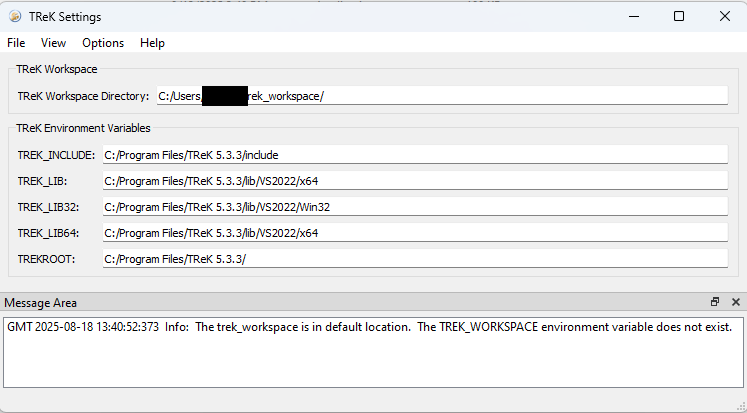
TReK Workspace The TReK Workspace area displays information about the current location of the TReK workspace.
TReK Environment Variables The TReK Environment Variables area displays information about TReK environment variables. The environment variables listed will differ on Windows and Linux.
Message Area The Message Area displays important status and error messages. The message area can be cleared using the View menu.